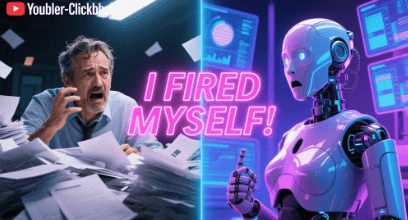
When My Side Hustle Became a Second Job
I always thought that earning $10,000 a month from a side hustle would feel like freedom. And in some ways, it did. But the reality hit me quickly: I wasn’t running a business. I had accidentally created another full-time job. I was working sixty hours a week, buried under repetitive tasks—answering emails, posting content manually, making invoices, updating spreadsheets, and managing every tiny detail that kept the gears turning. The business was growing, but I was burning out.
That’s when I realized something important. I didn’t need to hire a virtual assistant. I needed to fire myself. The solution wasn’t more human help—it was automation. So I built something that changed everything: an autonomous AI employee that could take over 90% of my everyday workload.
Why Traditional Side Hustles Lead Straight to Burnout
Most people don’t fail in their side hustles because they lack ideas or resources. They fail because they get trapped inside the maintenance loop. You start strong, you get customers, and then suddenly your time disappears. You spend your days answering the same questions, fixing small issues, creating content, and doing repetitive digital chores.
Your income goes up, but your hours go up even faster. This is the Side Hustle Trap. You become the bottleneck of your own business, trading time for money with no way to escape.
Automation is the only way out. But not just simple automation—AI-powered workflow automation.
The Concept of an “Autonomous AI Employee”
AI automation is far more than “if this, then that.” Large Language Models like GPT-4 or Claude act as the brain, understanding context, making decisions, and generating content. Tools like Make and Zapier act as the hands, executing tasks—sending emails, posting content, updating databases, creating spreadsheets, and more.
Together, they behave like a digital employee. They follow instructions. They carry out tasks. They learn from your prompts. They work 24/7. And they never get tired.
This was the breakthrough that changed my entire workflow.

The 7-Step Process I Used to Build My AI Employee
The journey didn’t happen overnight. I built my automated system step by step, starting with something simple: a pain audit. For one entire week, I listed every task I performed and how long it took. I quickly saw the pattern—most of my workload was repetitive digital tasks that didn’t require human creativity. Perfect for automation.
The next step was choosing the automation platform to act as the system’s nervous system. Zapier is beginner-friendly, but I ultimately chose Make.com because it allows complex multi-step workflows and gives a visual map of how everything connects.
Before automating anything, I documented detailed Standard Operating Procedures (SOPs). AI can only follow what you clearly define. Once the SOPs were ready, I connected everything to AI models using the OpenAI or Claude API. Whenever an email came in, the automation would send it to the AI with instructions. The AI would think, analyze, and draft a perfect response based on sentiment and context.
But I didn’t give the system full control immediately. For weeks, all responses were saved to “Draft” for my review. I refined prompts, corrected mistakes, and perfected logic. Only when the AI reached 99% accuracy did I let it run autonomously.

How My AI Employee Handles My Entire Content Workflow
After perfecting my first automated agent—customer support—I built more. My favorite one is the Content Agent. Every Monday morning, this agent runs a complete workflow:
It pulls trends from RSS feeds, analyzes which topics fit my audience, chooses the best ideas, writes a 1,500-word article using Claude, optimizes it using GPT-4 for SEO, generates a header image using Midjourney or DALL·E, formats the entire blog into HTML, uploads it to WordPress as a draft, and finally sends me a Slack message saying: “Your article is ready for review.”
A process that once took ten hours a week now takes me thirty minutes.
Soon, I built a Lead Qualification Agent, an Invoice Automation Agent, a Social Media Posting Agent, and even a Weekly Analytics Agent. What used to be forty hours of manual work became a fully automated digital workforce that costs me less than $100 a month.
The Lessons I Learned While Automating My Business
I didn’t get everything right the first time. I learned quickly that automating a broken workflow only makes the mistakes happen faster. I realized the importance of error-handling, because APIs and tools sometimes fail. And the most important lesson: your AI should not sound robotic. I spent time refining tone, personality, and brand voice so that every message still feels human.
These lessons helped me build systems that feel natural, reliable, and consistent.

The Freedom That Comes After Automation
Today, my business runs smoother than ever. I’ve reclaimed dozens of hours every week. I’m no longer buried in repetitive tasks. I get to focus on strategy, creativity, and growth—while my AI employees handle the routine.
Automation takes effort upfront. Some workflows took me twenty hours to build. But once you create them, you earn those twenty hours back every single month, forever.
This is the true power of AI.
Not replacing humans—
but freeing humans from work that machines are better suited for.
If you feel trapped in your side hustle, start with one small step. Track your tasks for a week. Identify your repetitive work. Automate one thing. Then another. Over time, you’ll reach the same turning point I did—the moment when your side hustle stops working against you… and finally starts working for you.